Clean links.
Keep what matters.

A free, open-source Android URL cleaner that removes known tracking parameters offline.

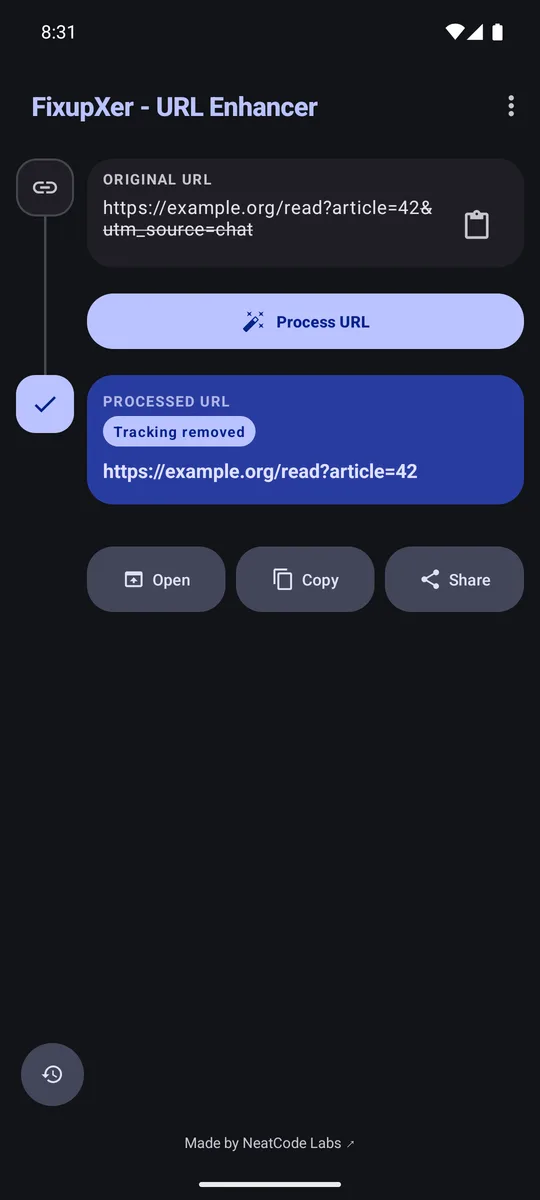
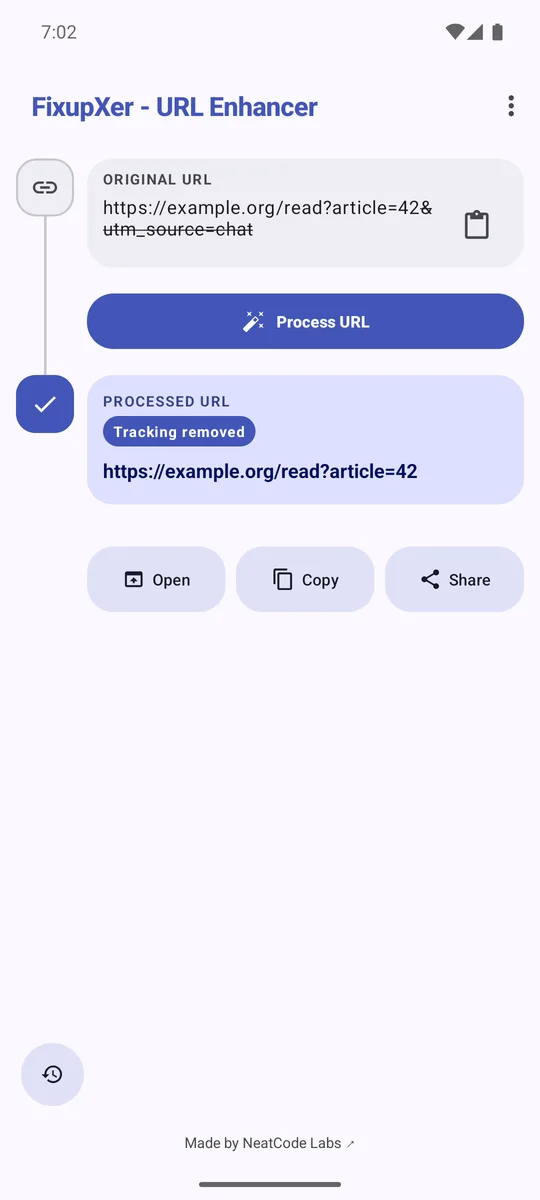
Review the result, then copy, share, or open it.

Before and after example.org
Before
https://example.org/read?article=42&utm_source=chat
After
https://example.org/read?article=42
  • utm_source=chat The campaign tag is removed.
  • article=42 The article selector remains.
network-permission
none
processing
local
ads
none
account
none
paid-upgrade
none
android
5.0+
license
GPL-3.0-or-later

Remove a tracking tag. Keep the article selector.

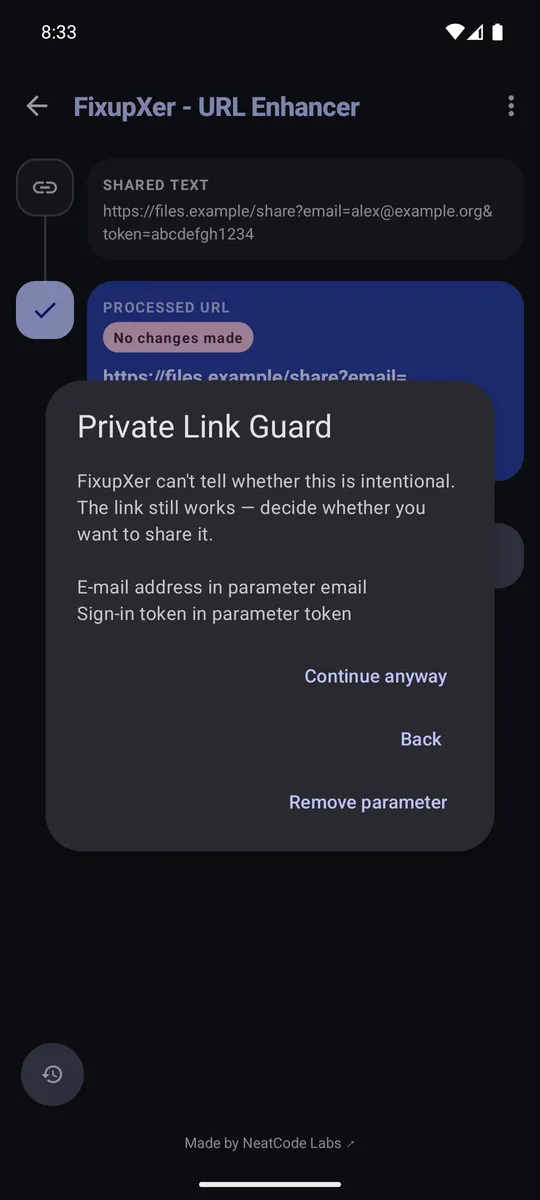
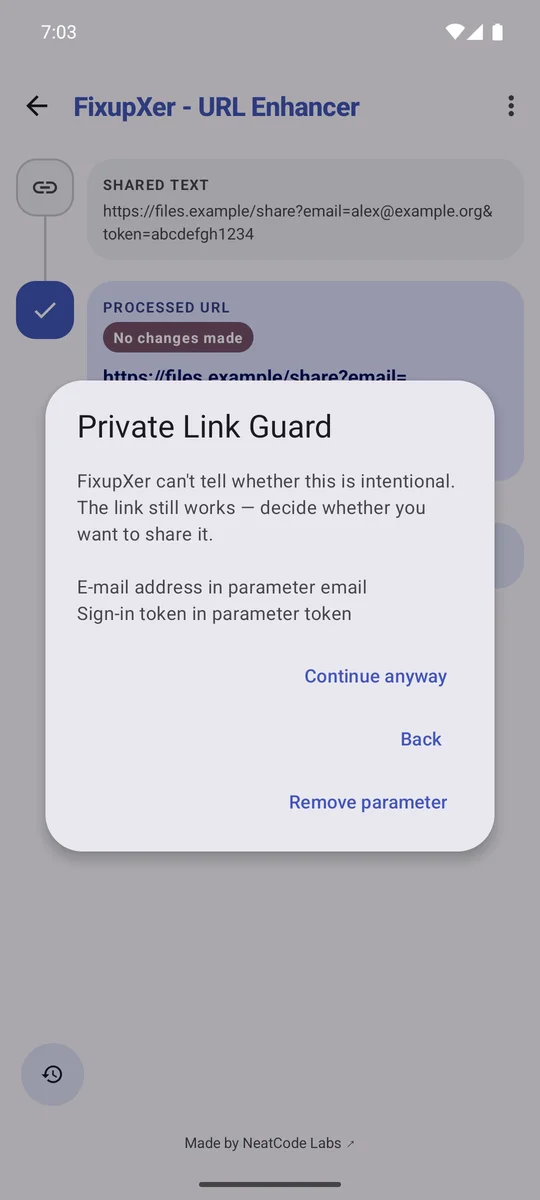
Some parameters measure a campaign. Others select a page, product, or search result. FixupXer removes tracking values it recognizes and leaves unfamiliar values in place.

It cannot identify every site-specific tracker, so review the result before you use it.

See the supported sites and parameters

FixupXer shows a cleaned example link with the article=42 value preserved.FixupXer shows a cleaned example link with the article=42 value preserved.
The app removes utm_source=chat and keeps article=42.

Use FixupXer from the app you are already in.

Send it a link, check the cleaned version, and decide where to send it next.

See the full link-cleaning guide

  1. Send or paste a URL

    Choose FixupXer from Android’s Share menu, paste a link into the app, or select Clean link from text in a supported app.

  2. Review what changed

    Compare the original and cleaned URLs. Optional social-link conversion uses its own setting.

  3. Choose the next action

    Copy the result, share it, or open it in the browser or app you choose.

Add and test a rule for a specific site.

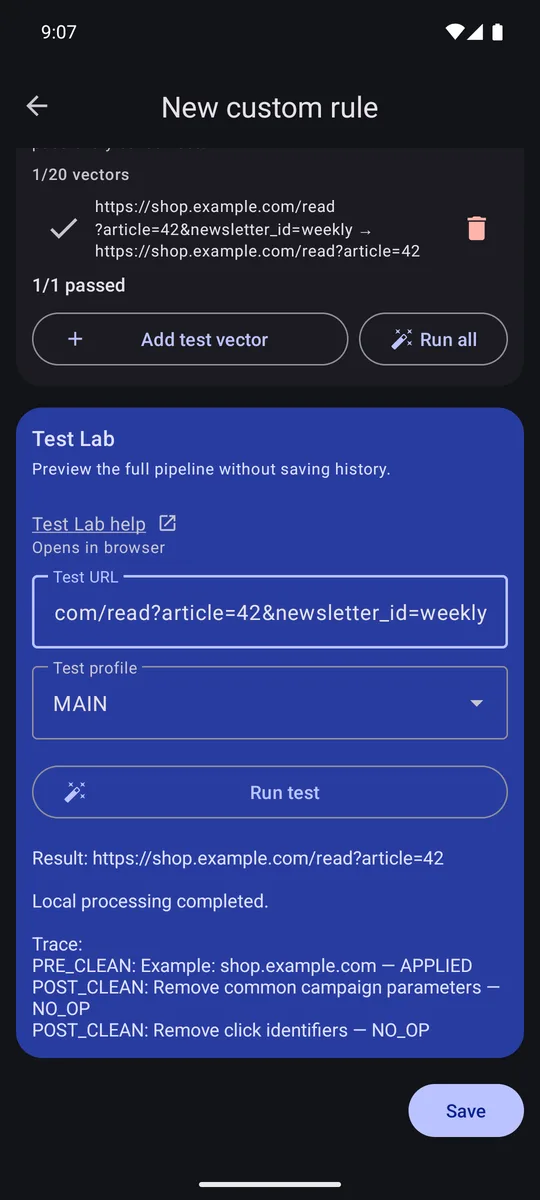
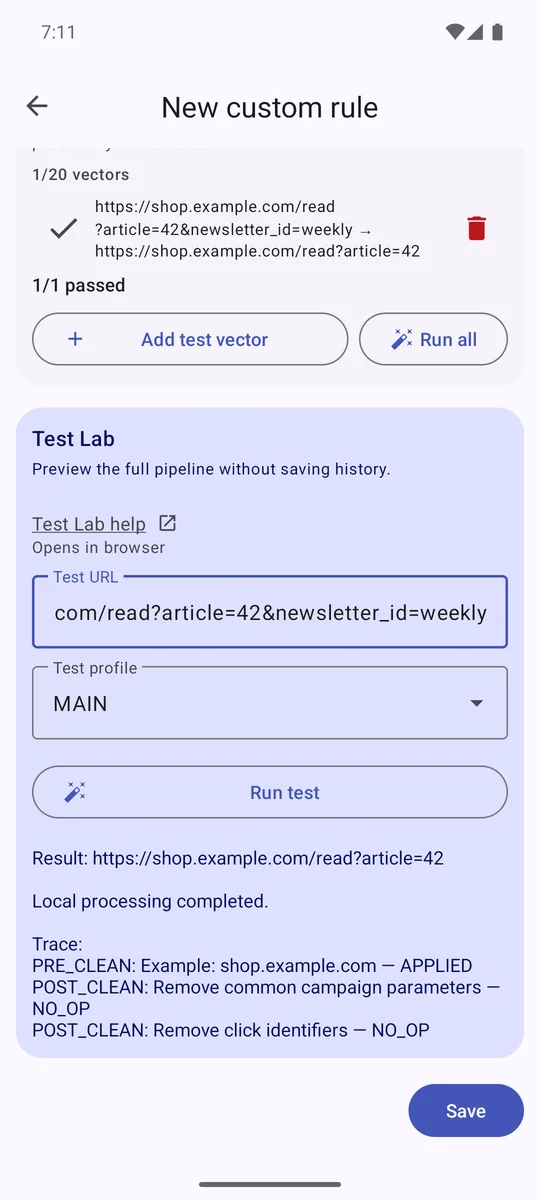
When a built-in cleaner misses a site-specific tracking parameter, you can write a custom URL rule. Test Lab previews the draft against an example link locally, so you can check what it changes before enabling the rule.

shop.example.com/read?article=42&newsletter_id=weekly shop.example.com/read?article=42

Custom URL rules and Test Lab

FixupXer Test Lab shows the result of a draft custom URL rule.FixupXer Test Lab shows the result of a draft custom URL rule.
Preview a draft and inspect its effect before turning it on.

The cleaner works offline.

  • Cleaning stays on your device

    FixupXer cleans URLs and rewrites supported social links locally. The app does not include telemetry or analytics.

  • History stays local

    Optional History is enabled by default. You can turn History off, delete individual entries, or clear it.

  • Recipients make their own requests

    If you open or share a result, the receiving app or service may make its own network requests.

Read the app and website privacy details

Get FixupXer for Android.

Free and open source, with no ads, no paid upgrade, no required account, and no network permission. Android 5.0 or newer.

Choose a download source

  • Google Play play.google.com/store/apps/details?id=com.fixupxer
  • F-Droid f-droid.org/packages/com.fixupxer/
  • GitHub APK github.com/NeatCode-Labs/fixupxer/releases/latest