
Create a rule for one site
Open Settings → Link processing → Custom URL rules → Manage rules. Custom rules are disabled by default. Enable the master switch when you want rules to run in the contexts you select: Main, Share, or Browser.
Choose a scope that matches only the URLs you mean to change, such as one exact host or a domain and its subdomains. Then select an action, such as removing named parameters, replacing matching text, or extracting a supported redirect destination. Rules can run before built-in cleaning, after it, or after supported social-link conversion.
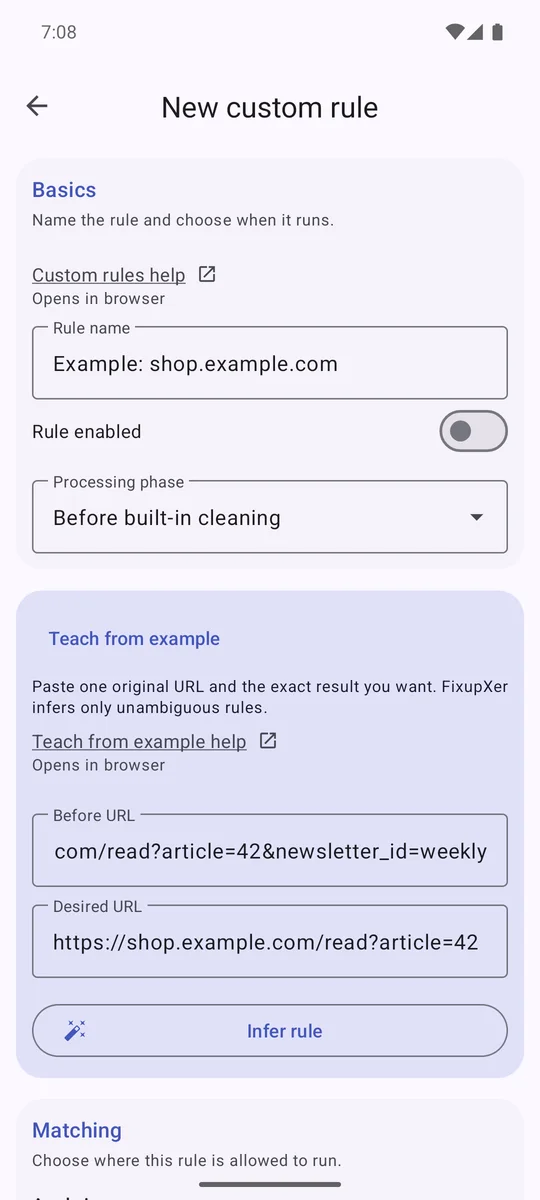
Teach from an example
Enter a before URL and the exact result you want. Teach from example can draft a rule for two cases: removing named query parameters while preserving the other query tokens, or extracting one unambiguous redirect parameter. It cannot infer every type of rewrite. The generated rule starts disabled. Review its host, action, context, and phase before enabling it.
Preview in Test Lab
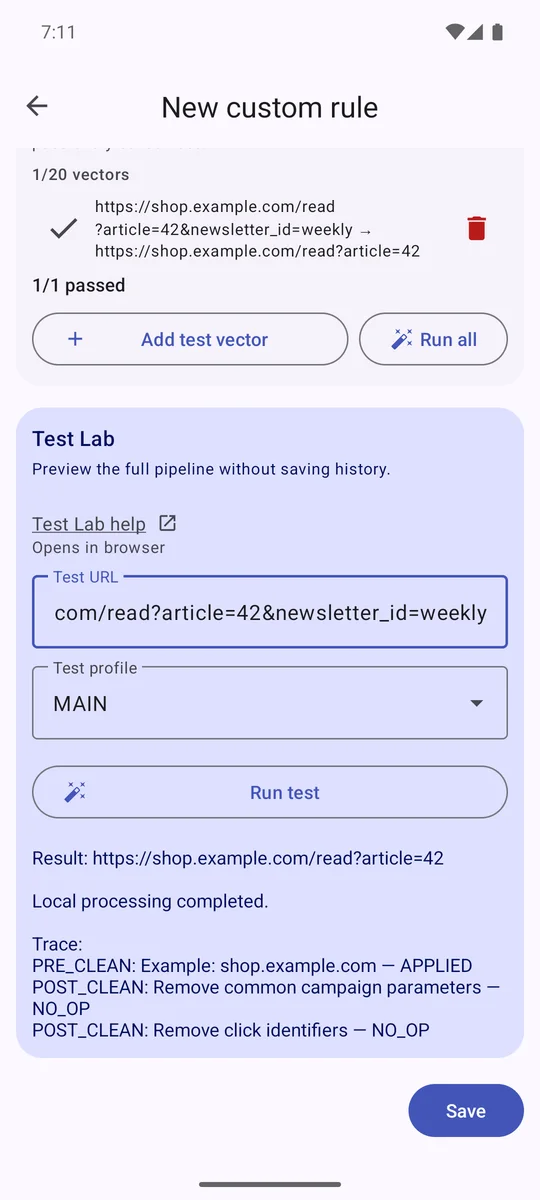
Test Lab runs the local URL-processing pipeline with your draft inserted. It shows the resulting URL and a trace that explains whether the rule ran or was skipped. It does not open the website, contact the destination, or test whether Android will route a real link through Browser Mode.
Check test vectors before enabling
You can save up to 20 input-and-expected-output test vectors with a rule. An enabled rule must pass its saved vectors. Try at least one URL that should change and one that should stay untouched; if the rule has exclusions, include one of those too. Keep the scope as small as the task allows, and disable a rule if it changes more than you intended.
Rules and Test Lab stay on the device. Exported rule bundles are files you choose where to save, and they may contain private domains, patterns, or test URLs. Review a bundle before sharing it.
Custom rules extend selective cleaning. A rule that removes too much can break a page, so review the result and test representative links before relying on it.
Read the complete custom-rules guide How link cleaning works